FreqMotion is a dynamic motion filter designed to bring life, movement, and rhythm to static sounds. Combine ultra-clean filters with LFO-driven motion or envelope-based modulation to create anything from subtle organic movement to aggressive rhythmic sweeps. With tempo-syncable modulation, envelope control, and smooth curve handling, FreqMotion adapts effortlessly to your track.
FreqMotion is a dynamic motion filter designed to bring life, movement, and rhythm to static sounds. Combine ultra-clean filters with LFO-driven motion or envelope-based modulation to create anything from subtle organic movement to aggressive rhythmic sweeps. With tempo-syncable modulation, envelope control, and smooth curve handling, FreqMotion adapts effortlessly to your track.
Product is still in beta, if you encounter any problems, please contact us.
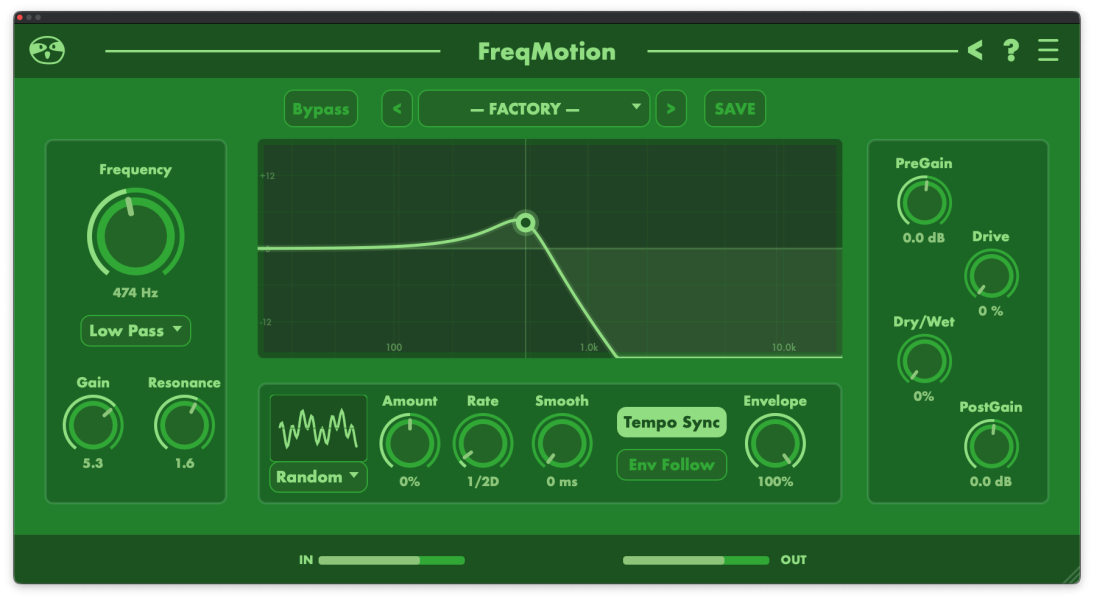
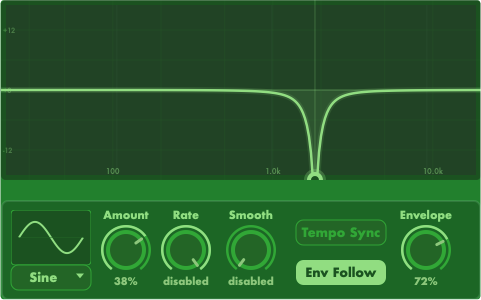
The motion panel is where static filtering turns into movement. By using LFO-based modulation, you can create repeating sweeps, rhythmic pulses, and evolving motion patterns that stay perfectly in sync with your track. With control over waveform shape, modulation amount, rate, smoothing, and tempo sync, the motion can be anything from subtle and organic to bold and rhythmic, always remaining musical and controlled.
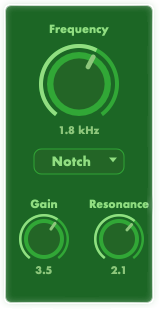
The frequency panel defines the core tonal behavior of FreqMotion by controlling the filter cutoff, filter type, gain, and resonance. It allows you to decide which part of the frequency spectrum is affected and how focused or smooth the filter response should be. Whether you are gently shaping tonal balance or creating dramatic frequency emphasis, this panel sets the foundation on which all motion and modulation are built.
The filter curve display provides a clear, real-time visual representation of how the filter is shaping your sound and how modulation is applied over time. As the cutoff moves and responds to LFOs or envelope input, the curve updates instantly, giving you a direct connection between what you hear and what you see. This visual feedback makes it easy to understand complex motion, refine rhythmic sweeps, and dial in expressive filtering with confidence and precision.
Get instant access to this Sound Sloth plugin and start adding movement, groove, and character to your productions today.
Quick compatibility
Formats:
VST3, AU
OS Support
Windows, macOS
Latency
Zero
CPU Usage
Low
Licence
No iLok
Price type
Need help installing?
If your plugin does not show up, or macOS blocks it, here’s what to do:
macOS
If macOS blocks the plugin, right click the installer or plugin file and choose Open, then confirm Open again. If you still do not see it in your DAW, rescan plugins and make sure you installed the correct format, AU for Logic, VST3 for most other DAWs.
Windows
Run the installer as admin if needed, then check your VST3 folder path in your DAW. If the plugin does not show up, restart the DAW and run a plugin rescan, then confirm you installed to the same folder your DAW scans.
Plugin not showing?
First restart your DAW and run a full plugin rescan. Then confirm you installed the right format and location, AU for Logic, VST3 for most other DAWs, and check the folder your DAW is scanning. On macOS, open the plugin once via right click, Open if Gatekeeper blocked it. On Windows, run the installer as admin and verify the VST3 path matches your DAW settings.
Tech specs
Global FAQ | /faq/
Product FAQ
Does it follow my DAW tempo?
Yes, it is designed for host tempo based movement.
What should I use it on?
Why does it feel out of sync?
Start playback, check the rate division, and confirm delay compensation is enabled.
Updates & downloads
Your download links are on your download page, and the newest version is always posted there. If you lost access, contact support with your order email and we will re-enable your download. If a file looks corrupted or the plugin will not install, delete the old download, grab a fresh copy, then install again.
Quick start tips
Start at 1/4 or 1/8 rate, then raise depth until it grooves.Use Mix to keep it subtle on busses.Try it on pads and drum loops for instant movement.
WELCOME TO SOUND SLOTH. GET 50% OFF WITH BETA2026 AT CHECKOUT.